Task Description
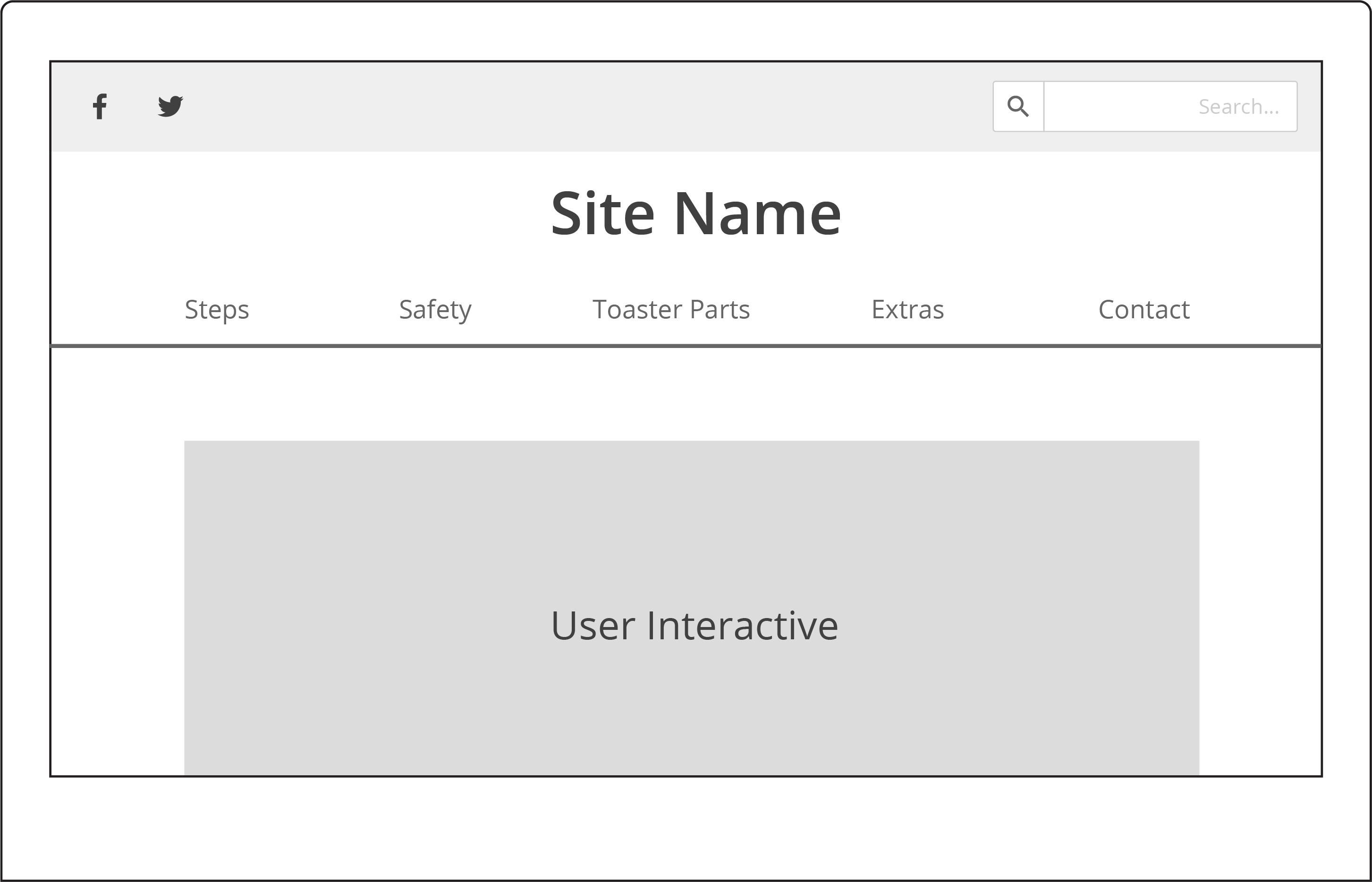
We were asked to put our interactive into a website featured around toast. From this we had to convey interactions the user would have on the site, showcased in two images. We also had to create a wireframe of what our website would look like.
Wireframe
Images Conveying Change
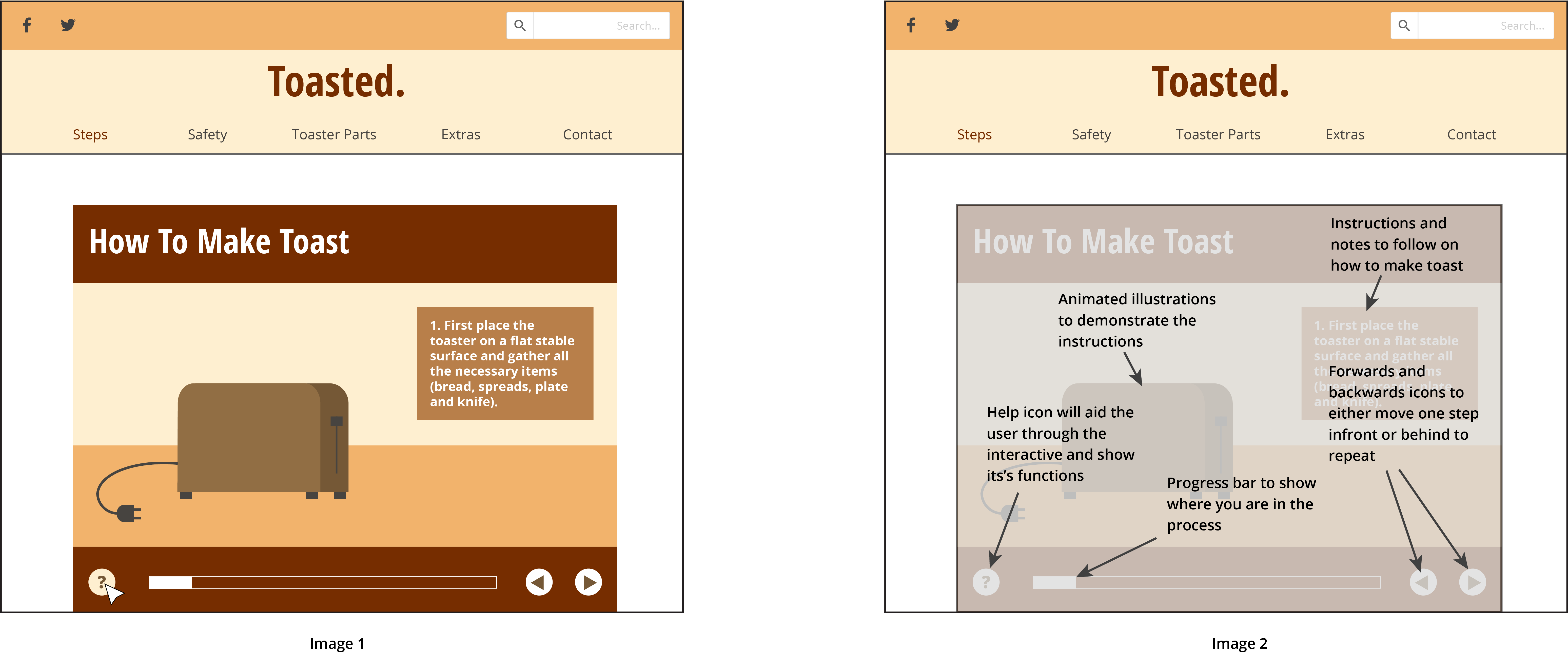
My interactive is featured on the “Steps” page, as it is instructional and goes through the steps on how to make toast. These images showcase one of the interactive’s features. Image on showcases the cursor hovering over and clicking the “help” icon, which changes colour when hovered over. Image 2 shows that once the user has clicked on the icon, it will reveal annotations about the interactive’s functions, if the user is having difficulties on how to navigate around the interactive. After clicking the “help” icon the interatcive will be greyed out a little to let the instuctions be clearer and to make it easier to read.
 Annabel Crawford's Blog
I like the overall aesthetic for the hypothetical website and the style used within the interactive. For suggestions on improvement, I think the site name’s size could be just a tad larger 🙂
LikeLiked by 1 person
I quite enjoy the overall colour scheme of your hypothetical website and how you have clearly outlined how everything will work both in the explanation and arrows within the image. My only question is if your website will have a footer? or will the web page end with the interactive?
LikeLiked by 1 person
Yes my website will have a footer, it’s just cropped.
LikeLike